Creating a new pool
Use this scenario when the pool you need does not exist. If it already exists, select it and create a ladder.
You set a new pool’s starting price. A mistake can cause a loss as soon as another participant swaps. Check the token addresses, price direction and market price before confirming.
If the pair already has other pools
- On Create, search for the token and select an existing pool of the pair.
- Change Fee to the fee you want: choose from the list on V3 or enter a percentage on V4. Change Tick Spacing on V4 if needed.
- Check Current Price: after changing the fee, the form keeps the tokens and price from the previous pool.
- Enable Auto-create pool if not exists.
- Set the range, number of rungs and amount. Wait for the calculation.
Check the search results first: if a pool with those parameters exists, select it directly. Changing Fee clears the selected pool, so the new-pool confirmation window alone does not prove that the pool is missing.
If the pair has no pools
- Select the network, protocol and V3/V4.
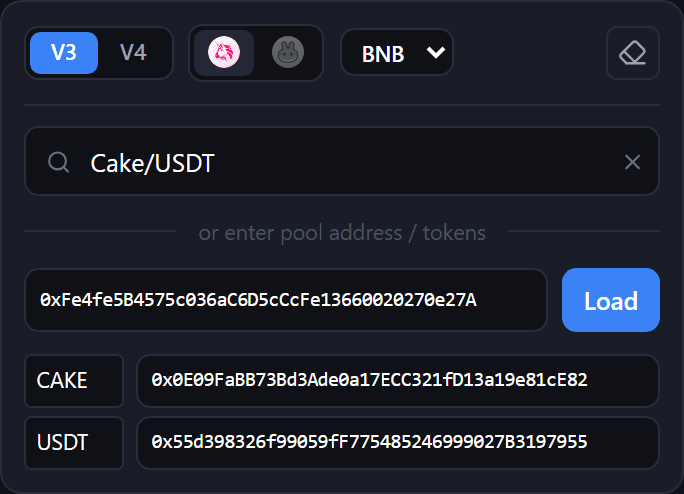
- Pick one token from the list and paste the other token’s contract address.
- Set Fee and, on V4, Tick Spacing.
- Enter the starting price in Current Price.
- Enable Auto-create pool if not exists and configure the ladder.
Review and confirm
Press Create V3 / Create V4, or Zap In if it is available for your ladder. In Creating a NEW pool, check:
| Field | What to check |
|---|---|
| Token0 / Token1 | The addresses match your chosen tokens |
| Starting price you set | The starting price and its units |
| Market reference | The market price used for comparison |
| Deviation | How far your price is from the reference |
If Market reference reads unavailable, the app could not compare prices. Check the price yourself before proceeding.
After reviewing, press Create pool and confirm the operations if your wallet requests signatures. When complete, open View Positions.
If creation stops
- Auto-create is off: enable it for a new pool, or load an existing pool.
- Another participant created the pool first: check its actual price and recalculate the ladder. Do not repeat the old transaction without recalculating.
- The transaction outcome is unknown: check its status in the blockchain explorer before trying again.
For pool creation with a single input token, see Zap.