Dashboard
The portfolio summary: realized PnL, win rate, open positions, the cumulative PnL chart, active ladders and recent trades. The data belongs to the active wallet — with no wallet connected, the page asks you to connect one.
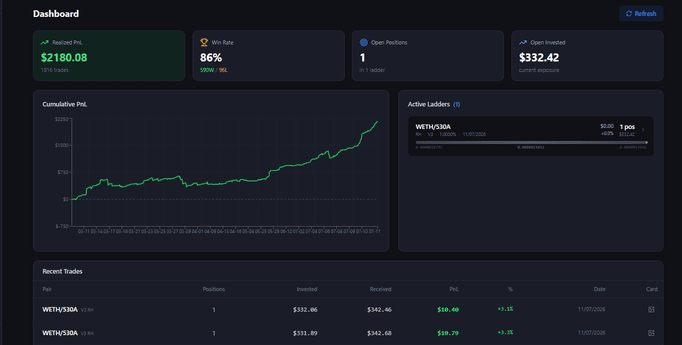
Stat cards
- Realized PnL — total realized PnL and the number of trades.
- Win Rate — the share of profitable closes and the
W / Lscore. - Open Positions — how many positions are open, across how many ladders.
- Open Invested — the amount currently invested (your exposure).
The “Refresh” button in the page header updates everything by hand.
Cumulative PnL
Cumulative PnL by close date. You can hide it in Settings (the “Hide the Cumulative PnL chart” toggle).
Active Ladders
The list of open ladders. Each row carries the pair, network/version/fee/date, unrealized PnL, daily APR, uncollected fees, the number of positions and the invested amount, plus a range bar with the current price (the prices under it copy on click).
Clicking a ladder opens it on the Manage page with its positions already loaded.
Recent Trades
A table of recent closes: pair, number of positions, invested/received, PnL in $ and %, date. The icon in the Card column opens the PnL card — a branded image of the trade result that you can copy (Copy) or download (Save) and share.
If a ladder did not appear
If the positions were created on-chain but did not show up on the Dashboard, a yellow banner with the position IDs and a “Retry” button appears at the top. If Retry does not help, copy the IDs, open Manage and paste them into Token IDs → Load Positions.